01
Capture leads automatically
Connect Facebook and Instagram Lead Ads, Google Ads and website forms. New enquiries arrive in your CRM with their source and contact details.
 PatientPathDENTIST
Patient Path Dentist captures leads from Facebook, Instagram, Google Ads and your website, then qualifies them automatically with AI. Manage follow-ups, appointments and patient records in one dental CRM.
 Patient Path Dentist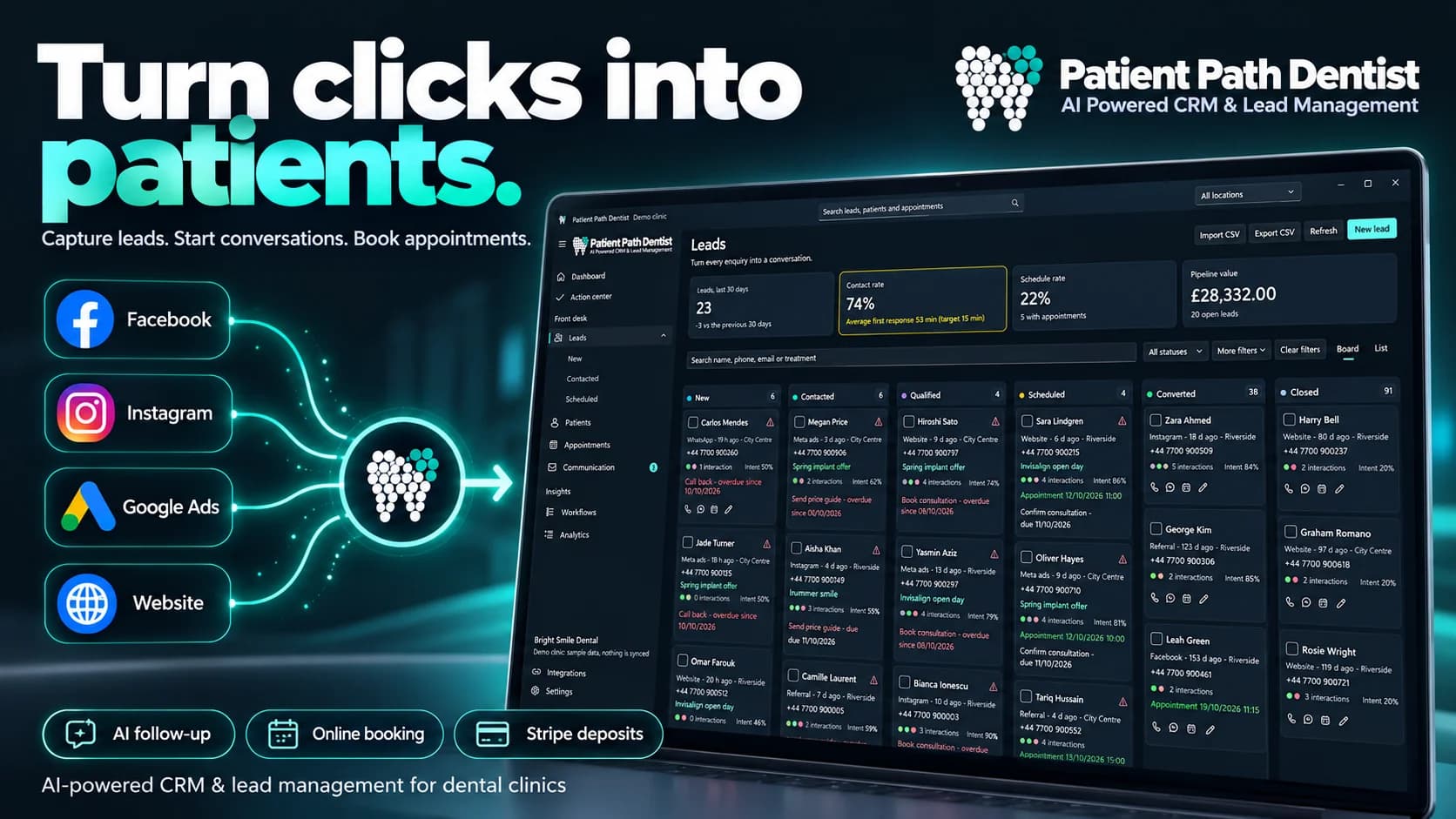
LEAD CAPTURE AND AI QUALIFICATION
Connect your marketing to reception with a clear process for every new enquiry.
Connect Facebook and Instagram Lead Ads, Google Ads and website forms. New enquiries arrive in your CRM with their source and contact details.
The AI assistant qualifies enquiries automatically and helps prioritise follow-up. Your team keeps the conversation and lead status in view.
Assign the next action, track contact and book a consultation. Patients can also book online and pay a deposit directly to your clinic.
DENTAL CRM AND PRACTICE MANAGEMENT
Follow each enquiry through qualification and booking, then keep the patient’s records, dental chart and treatment history together.
Automatically captured leads, AI qualification, pipeline stages, assignments and reminders give your team a clear next action for each enquiry.
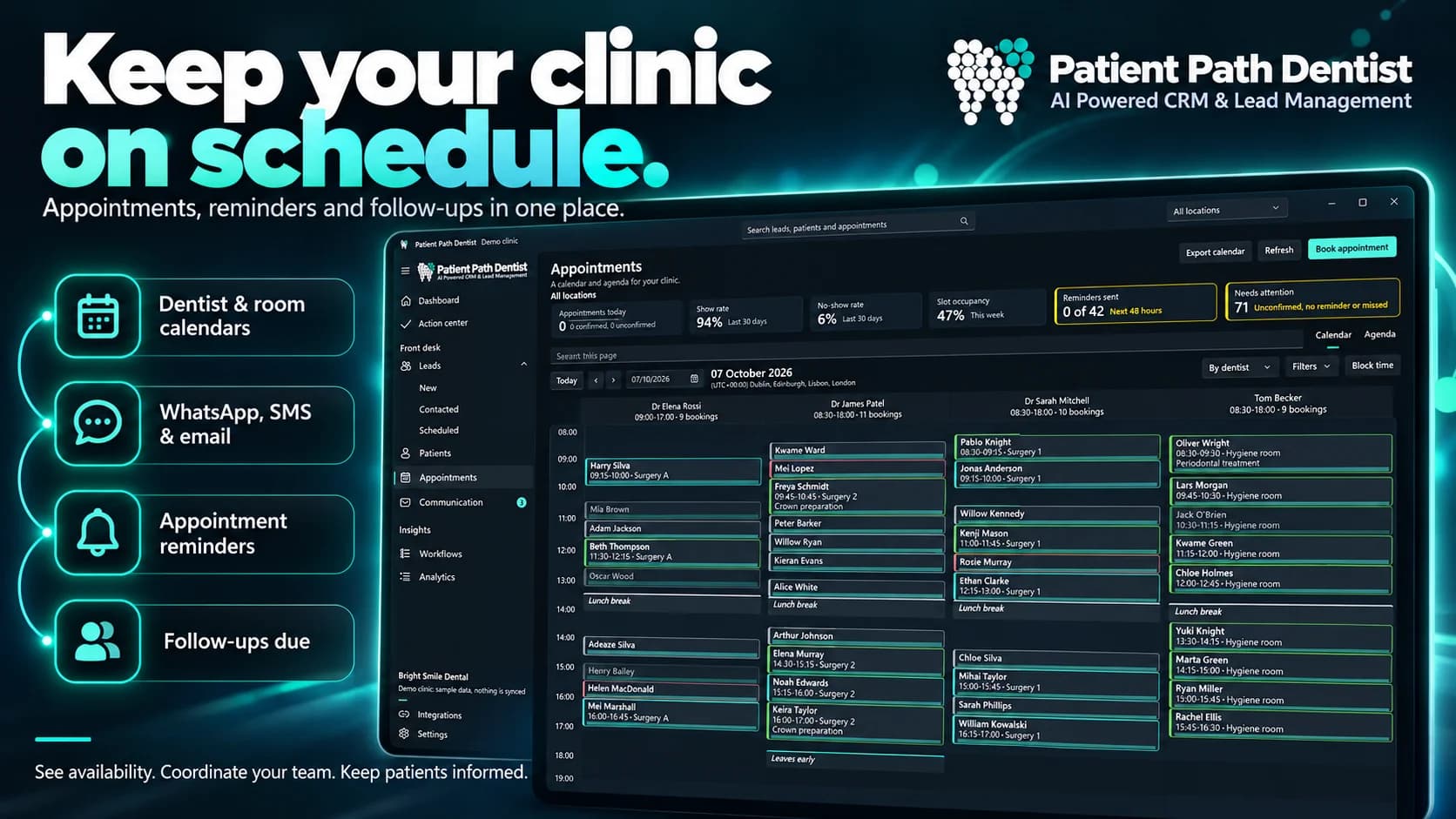
Manage appointments across locations, rooms and chairs. View availability, reschedule with drag-and-drop and offer online booking with deposits.
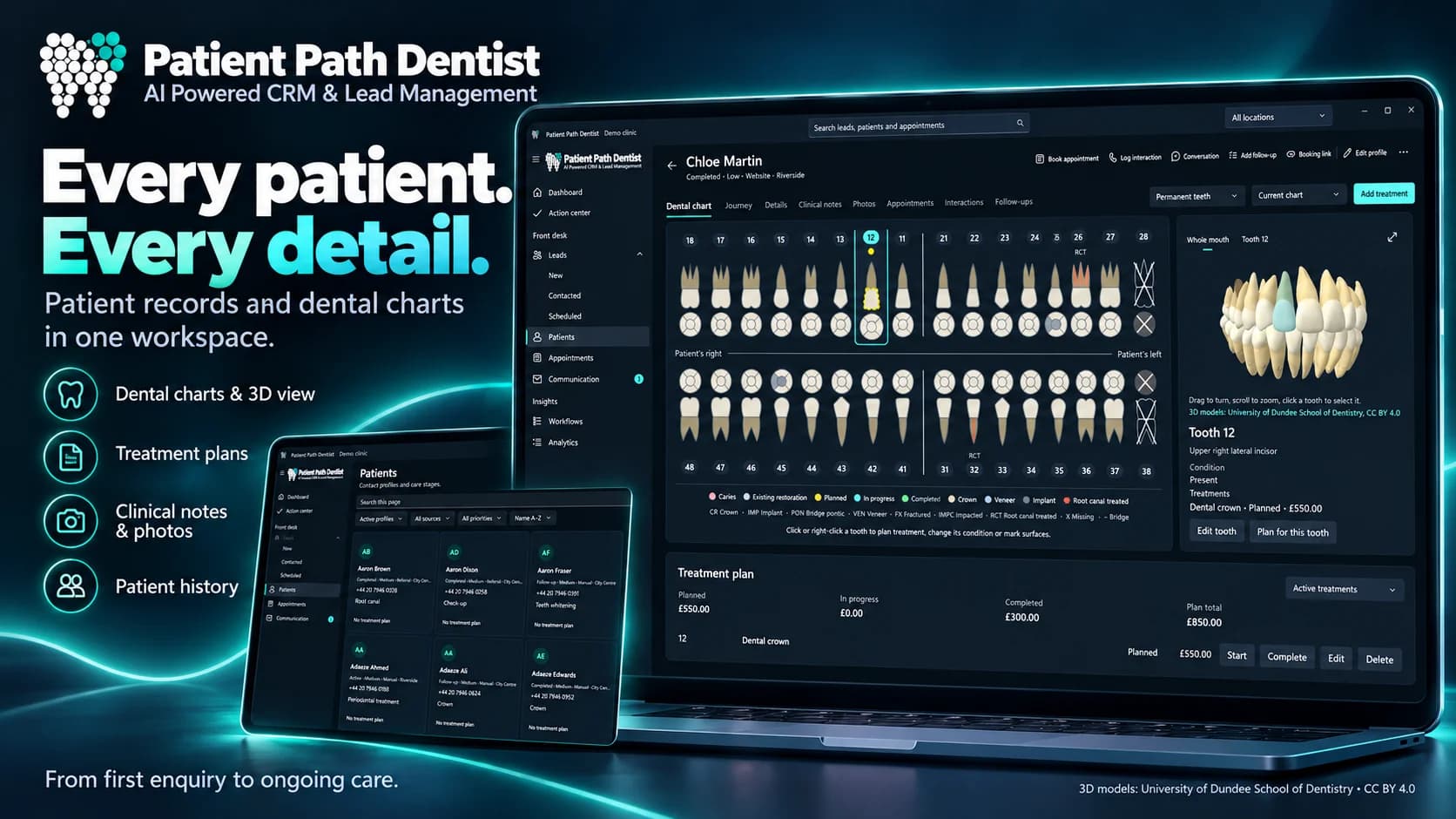
Keep patient profiles, treatment history, interactive dental charts and 3D tooth views together when planning care.
Review lead conversion, bookings and revenue. Compare clinic locations and follow the path from marketing enquiry to appointment.
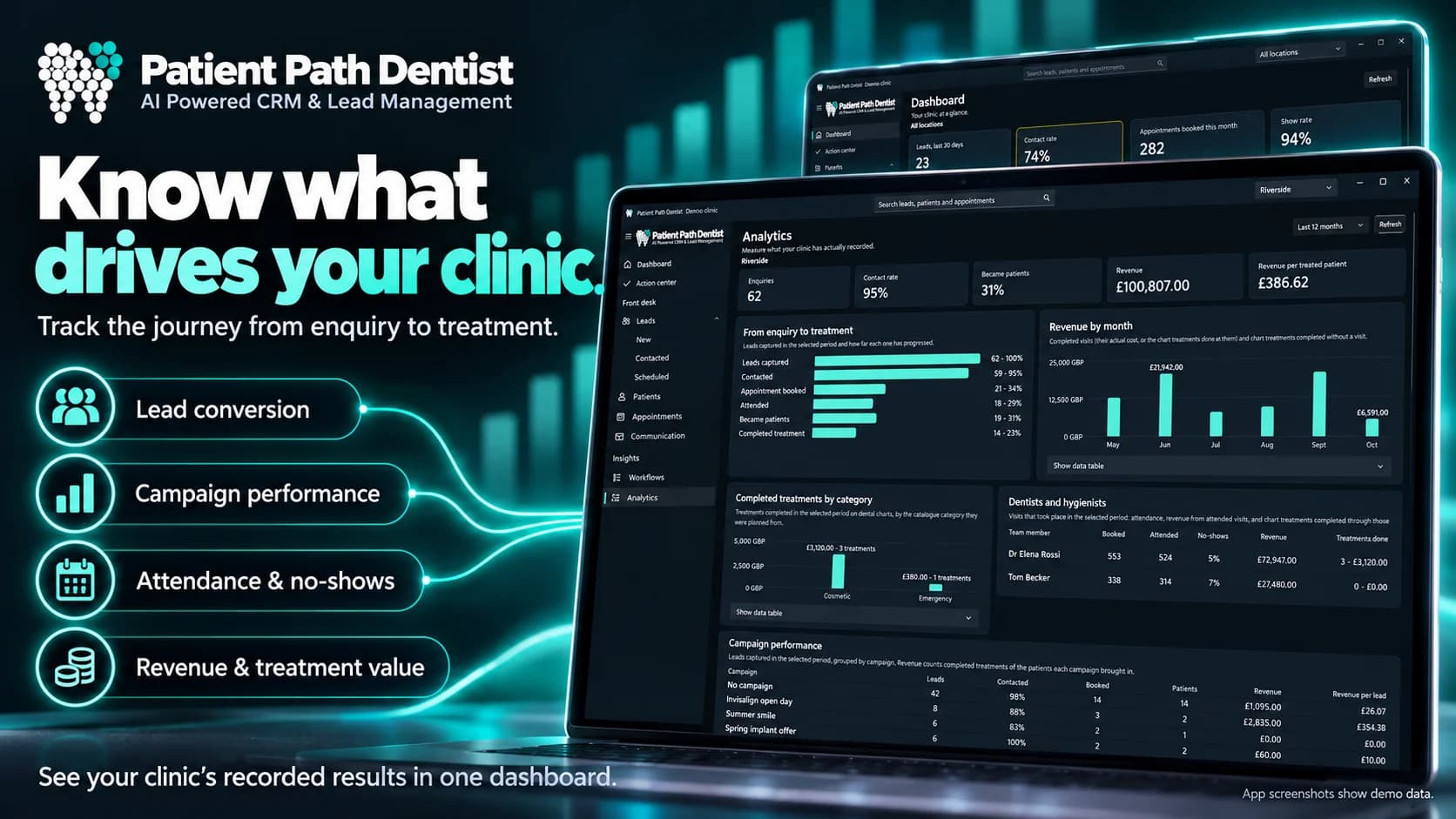
Microsoft Store promotional artwork in English. Demo records and figures are illustrative.
YOUR DENTAL CRM ON WINDOWS
PatientPath brings lead management, scheduling and patient records to your Windows desktop. Synchronise across clinic PCs and keep locally stored records accessible offline.
Offline access applies to local records. Features that connect to external services require internet access.
CONNECTED TO YOUR PRACTICE
Connect Facebook, Instagram, Google Ads and website forms. New leads flow into your practice workspace.
Synchronise across PCs and keep reception, clinicians and call-centre staff working from a shared calendar.
Offer online booking with deposits. Patients choose their time, and payments go directly to your clinic’s own merchant account.
MULTILINGUAL DENTAL SOFTWARE
Use PatientPath in English, Romanian, German, French, Italian, Spanish, Dutch, Polish or Portuguese. Choose a language to explore the features.
LEAD AUTOMATION AND DENTAL CRM
Patient Path Dentist is a dental CRM and practice management app for Windows. It captures leads, qualifies them with AI and brings follow-ups, appointments, patient records and dental charts into the same workspace.
Connect Facebook and Instagram Lead Ads, Google Ads and website forms to bring new enquiries into PatientPath automatically. You can also import leads from CSV files.
The AI assistant works with the lead’s enquiry and conversation to help qualify the lead and update its status. Your team can review the conversation, follow up and take over when needed. Connected sources and AI features require internet access.
A PC with Windows 11 version 22621.0 or later, at least 4 GB RAM and DirectX 12. The Store recommends 6 GB RAM. Check the Microsoft Store for full compatibility details.
Yes. Records stored locally on your PC remain available without an internet connection. Features that use external services need a connection.
Yes. The included demo clinic lets you explore workflows with sample records before bringing in your own practice data.
The Microsoft Store lists in-app purchases. Open the official listing for current availability, purchase options and pricing. PatientPath is currently a beta release.

EXPLORE PATIENTPATH DENTIST
Download the Windows app and explore lead management, appointments and patient records in the included demo clinic. Book a demo to discuss your clinic’s workflow.